Remote help for your family, free.
“Where is that button again?” With ShareDesk you see your parents' or friends' screen from wherever you are, and either fix it yourself or show them where to click. They only need to open the app and read you nine digits: no account, no settings. For private use it's free.
What matters here
Nine digits, one click
Your mother opens ShareDesk, reads you her ID and accepts. That's all she has to do. Your first connection
Show where to click
Draw arrows and circles on their screen, or only watch, so they learn it themselves. Talking
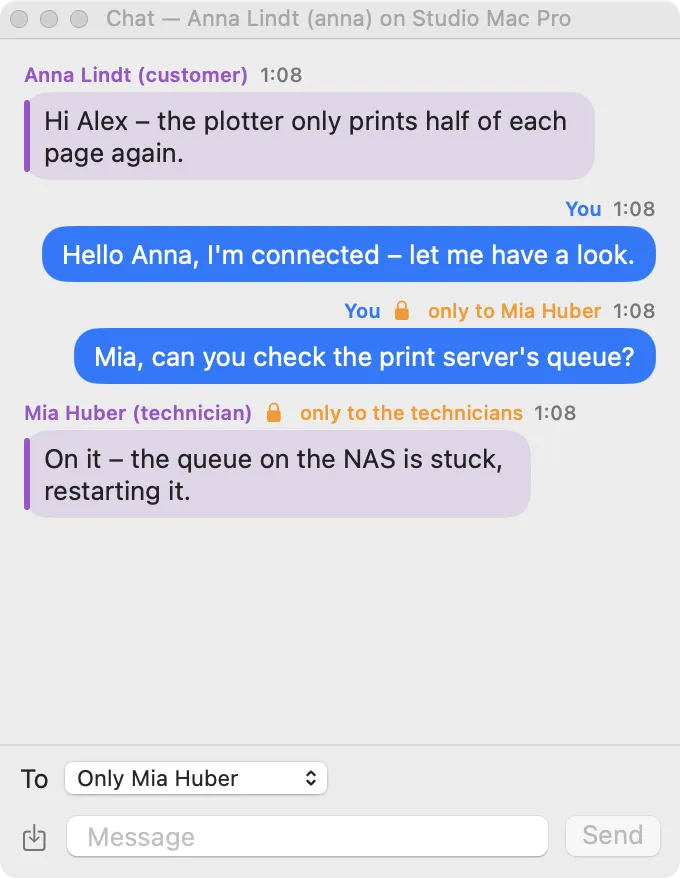
Chat and talk
Talk through the computer, with sound both ways, or type in the chat. Talking
Help from any browser
Away without your laptop? The web viewer works in any current browser; they still need the app. Download
Always their decision
They see that it's you, a banner shows the session the whole time, and one click ends it. The customer decides
Older Macs and PCs too
Every Mac from macOS 10.15 on and Windows 10 and 11: the download picks the right version. Download
How it works
Send them the link
Send them the download page; they install ShareDesk once and allow what macOS asks for.
They read you the ID
Nine digits on the phone, and you connect.
They accept, you help
They see your name and photo and accept; you see their screen and help.
Questions
Is it really free?
Yes, for private use: helping family and friends and your own computers costs nothing. ShareDesk only costs money when you use it for work.
Do my parents need an account?
No, they only need the app. You don't need an account either; it's only useful if you want an address book across your own computers.
Can I connect when they're not at home?
Only if they set a password for unattended access on their computer and give it to you. Otherwise someone has to accept each session on the screen.
Try it on your next support call.
Free for private use. For work: USD 18 per technician and month, billed yearly, excl. VAT. The people you help never pay.